Install the Centreon BAM extension
Centreon BAM is a Centreon extension that requires a valid license key. To purchase one, contact Centreon.
Prerequisites
See the software requirements.
Install BAM on the central server. The central server and Centreon BAM must be installed in the same major version (e.g. both in 26.10.x). If you want to be able to view the Business activities monitored by a remote server, install BAM on the remote server too. When BAM is installed on a remote server, the Business activities will only include the resources monitored by the remote server.
Installation
Install the package
Add the Centreon Business repository. You can find it on the support portal.
Then install the package using the following command:
- Alma / RHEL / Oracle Linux 9
- Alma / RHEL / Oracle Linux 10
- Debian 13
dnf install centreon-bam-server
dnf install centreon-bam-server
apt update && apt install centreon-bam-server
Upload the license
A license file bam.license is provided by Centreon. Go to the Administration > Extensions > Manager menu and upload the license using the interface.
Install the interface
Go to the Administration > Extensions > Manager menu and click the install button for the following modules:
- License Manager (if not yet installed)
- Business Activity Monitoring
Once the module is installed and the license added, the module card displays the license expiry date:
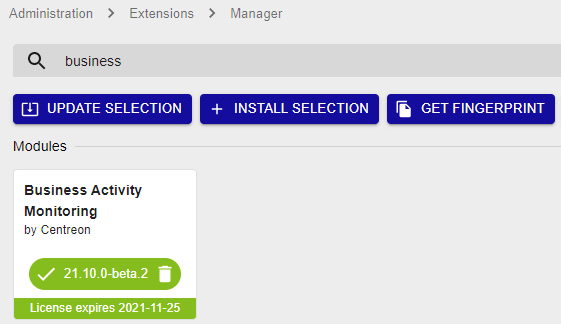
If you are using replication for your monitoring databases, installing Centreon BAM generates a view. You need to exclude it from replication by adding the following line to the my.cnf file of the replica server:
Create the view manually on the replica server using this file, by executing the following command: