RUM optimization recommendations
Centreon Experience Monitoring provides detailed audits of how to improve the performance of your site.
To access audit pages, click the Last recommendations icon in the tables on the URLs tab (that includes the detailed page for a specific URL when you click this URL in the treemap on the Summary & Live tab).
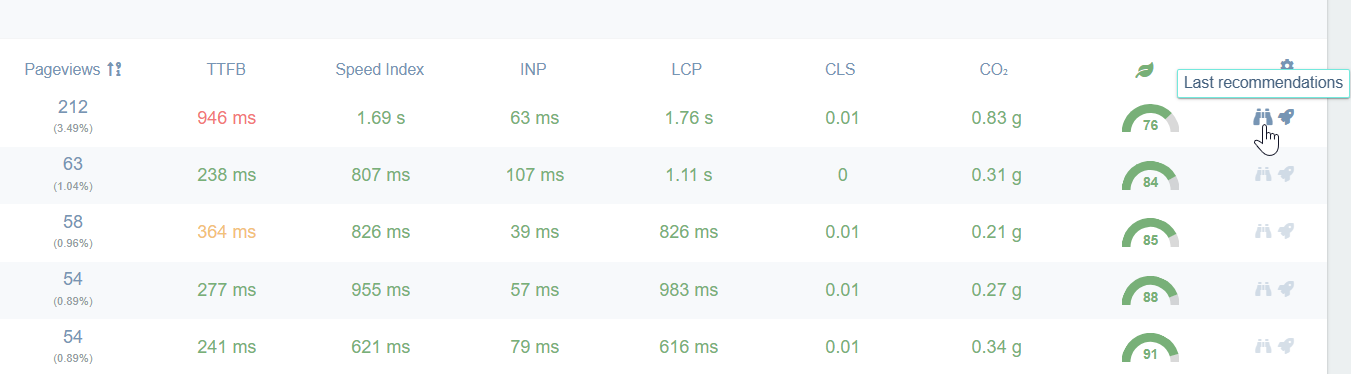
The module displays optimization recommendations for URLs, with the following limitations:
- Recommendations are generated only for the top 10 pages (by traffic). Beyond the Top 10, gaps appear in the recommendations.
- If you expand to the Top 20 or Top 50, pages lower in the rankings only receive recommendations if they were ever in the Top 10 during the selected period.
- The Top 10 changes daily, which explains why, over a long period, the gaps are not in the same places.
Alternative: To obtain recommendations for pages outside the Top 10, you must set up a scenario (User Journey) on the relevant URL. Use the shortcut on the right to access the corresponding page.
How can I tell my changes had a real impact?
At the bottom of the recommendations page, click Compare with.

The latest recommendation audit is selected by default. Select an earlier audit to see the impact of your changes. Remember that the recommendations probe is executed once a day so your changes may not be visible until the next day.