Setting up RUM
Real User Monitoring (RUM) requires inserting a JavaScript tag into your site's pages.
Procedure
-
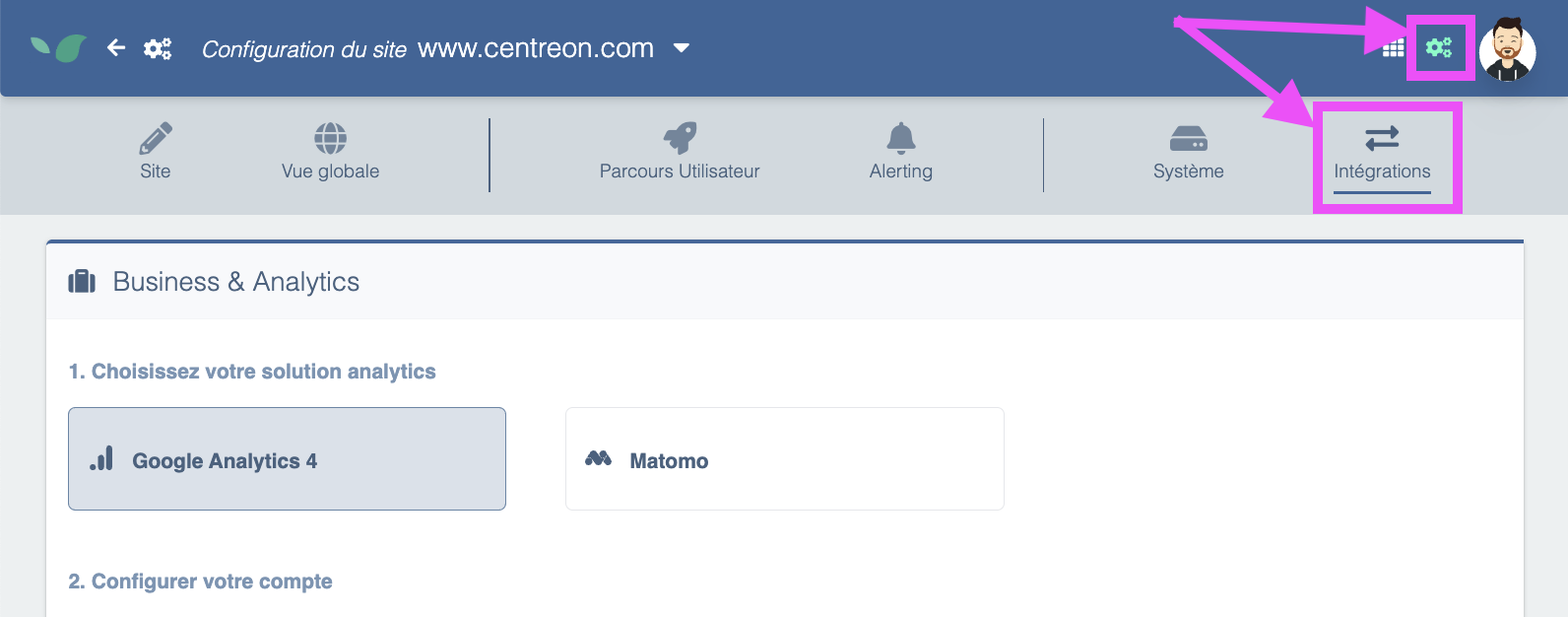
To retrieve your application's RUM tag, go to Settings > Integrations:
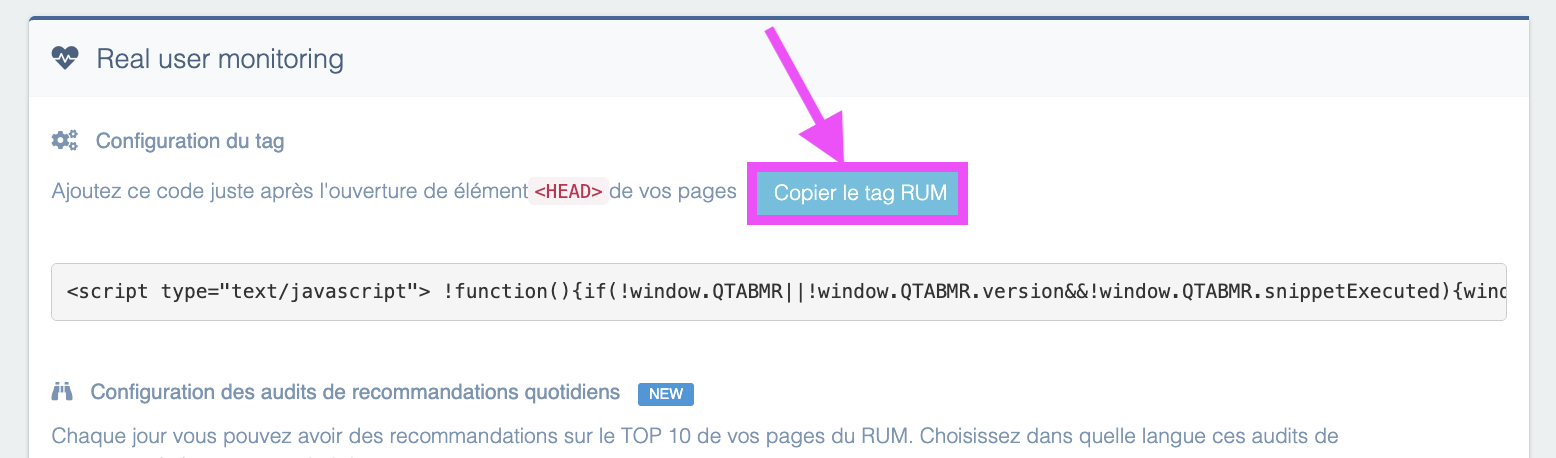
The tag is displayed on the screen with a copy button.
-
Insert the tag into your site's HEAD section. The operation can be done manually by a developer, or alternatively it can be added to a tag manager such as GTM by following the procedure below.
-
Go to Real User Monitoring. You should see data appear in a matter of minutes.
Using Google Tag Manager (GTM) to add a Centreon RUM tag to your pages
-
Create a new tag: sign in to your GTM account and select the container for your website. Click Add a new tag.
-
Configure the tag:
- Select Custom HTML Tag as the tag type.
- Paste the script provided into the HTML field.
- Ensure the script type is correctly set to JavaScript if required. GTM usually handles this automatically, but it's good to check.
-
Set triggers: choose when you want the script to execute. You can apply it to all pages or to specific pages depending on your needs. Triggers allow precise control over when the script runs.
-
Save and test the tag: after configuring the tag and its triggers, save it and use GTM's preview feature to test whether the script works as expected on your site. This lets you see changes in real time without affecting real visitors.
-
Publish the changes: once you've checked everything works correctly, remember to publish the changes in GTM so the script is active on your live site.
GDPR considerations
Although Centreon Experience Monitoring uses a cookie, no consent is required in France.
The CNIL (French data protection authority) exempts certain cookies from requiring consent under these conditions:
- they have a limited purpose such as measuring performance, detecting navigation issues, optimizing technical performance or usability...
- they produce only anonymous statistics
- they are not cross-referenced with other datasets
- they are not transmitted to third parties
- they do not enable tracking a user's browsing across other websites.
Centreon Experience Monitoring meets these conditions.
You can find CNIL's recommendations on this page.
In other countries, requirements may vary. If consent is required, load the RUM tag conditionally via your Consent Management Platform (CMP) — only users who consent will be tracked.