Jira
How it works
The Jira provider connects to your Jira server and retrieve data through the Jira REST API.
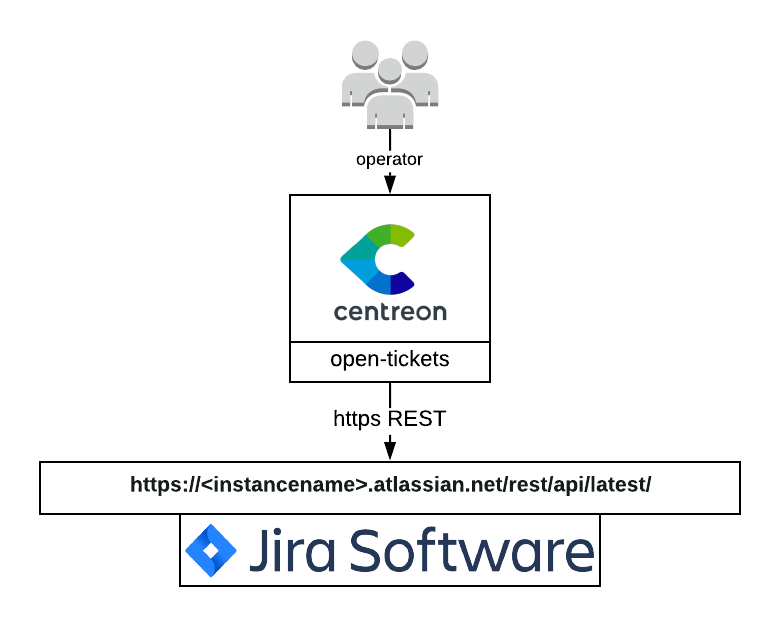
Compatibility
This integration is (at least) compatible with Jira cloud.
Feature information
| Open ticket | Close ticket (from Centreon to Jira) | Handle custom fields |
|---|---|---|
| ✓ | ✘ | ✘ |
Requirements
Before going any further, make sure that you correctly setup centreon-open-ticket into your Centreon instance.
Our provider requires the following parameters:
| Parameter | Example of value |
|---|---|
| Address | xxxxx.atlassian.net |
| Rest Api Resource | /rest/api/latest/ |
| Username | MyUser |
| Password | MyPassword |
| Timeout | 60 |
Network flow
| Source | Destination | Protocol/Port |
|---|---|---|
| Centreon central server | jira | TCP/443 (https) or TCP/80 (http) |
Account
You need the following information:
- Jira address
- Rest Api Resource (usually
/rest/api/latest/) - Username
- Password
The aforementioned account must at least be able to open a ticket through the /issue API endpoint.
The connector will also try to access the following API endpoints depending on the configuration of your open ticket rule:
- /priority
- /issuetype
- /project
- /user/search
Some test commands that you can run from your Centreon central server are available in the Test commands section.
Retrieved data
This open ticket connector can retrieve the following information from your Jira server:
- Priorities
- Users
- Type of issues
- Projects
If you need more information regarding retrieved data from an open ticket connector, please read the retrieved data chapter from the Open Ticket global documentation.
Test commands
The curl commands listed below must be run from your central server. You need to replace all elements between <> for example <jira_address> may be replaced with my_jira.atlassian.net.
Get Jira priorities
curl --location 'https://<jira_address>/<rest_api_resource>/priority' \
--header 'Content-Type: application/json' \
-u '<user>:<user_token>'
Get Jira users
curl --location 'https://<jira_address>/<rest_api_resource>/user/search' \
--header 'Content-Type: application/json' \
-u '<user>:<user_token>'
Get Jira issue types
curl --location 'https://<jira_address>/<rest_api_resource>/issuetype' \
--header 'Content-Type: application/json' \
-u '<user>:<user_token>'
Get Jira projects
curl --location 'https://<jira_address>/<rest_api_resource>/project' \
--header 'Content-Type: application/json' \
-u '<user>:<user_token>'
Open a ticket
Keep in mind that the data in the command below is just an example and your Jira server may ask you to add mandatory data.
curl --location 'https://<jira_address>/<rest_api_resource>/issue' \
--header 'Content-Type: application/json' \
-u '<user>:<user_token>' \
--data '{
    "fields": {
      "project": {
        "id": "<project_id>"
      },
      "summary": "this is a test ticket",
      "description": "Believe it or not, but it is just a test"
    }
  }'